

• Skip to main content
  • Skip to header right navigation
  • Skip to after header navigation
  • Skip to site footer
islanddhc
鄰舍輔導會 The Neighbourhood Advice-Action Council

離島地區康健站 Islands DHC Express

  • Font Size
  • 繁
  • 简
Font Size |
  • 繁
  • 简
| Facebook
  • Home
  • About Us
  • Services
    • Service Scopes
    • Service Flow
    • Service Charge
    • Service Faq
  • Member
  • Health Act
    • News
    • Featured Activities
    • Event Calendar
  • NSP
    • Network Service Provider List
    • Be a Network Service Provider
  • Health Info
  • Community Info
    • List of Service Providers
  • Contact Us
  • Join Us
    • Recruitment
    • Volunteer
  • Home
  • About Us
  • Services
    • Service Scopes
    • Service Flow
    • Service Charge
    • Service Faq
  • Member
  • Health Act
    • News
    • Featured Activities
    • Event Calendar
  • NSP
    • Network Service Provider List
    • Be a Network Service Provider
  • Health Info
  • Community Info
    • List of Service Providers
  • Contact Us
  • Join Us
    • Recruitment
    • Volunteer

Weather Contingency Plan

2026-08-11

To ensure the safety of our members and participants, Islands District Health Centre Express would like to remind everyone to check the latest weather updates from the Hong Kong Observatory two hours before joining any activity.

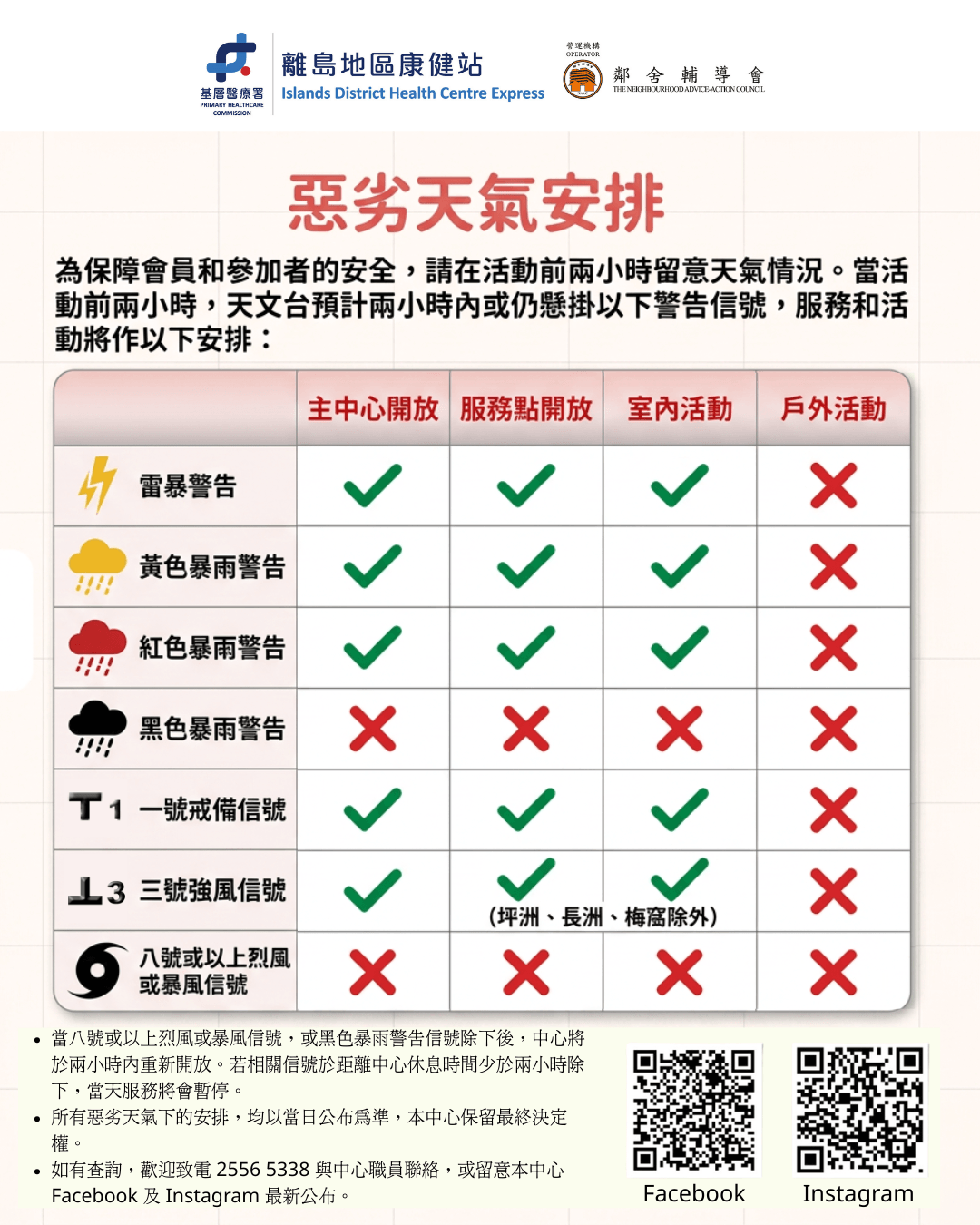
If the Hong Kong Observatory forecasts or continues to hoist any of the following warning signals within two hours before the activity, the following arrangements will be made for our services and activities:

  • Thunderstorm Warning, Amber Rainstorm Signal, Red Rainstorm Signal, Standby Signal No. 1 or Strong Wind Signal No. 3: the Core Centre, Service Points and Indoor Activities will remain open; Outdoor Activities will be cancelled.
  • Black Rainstorm Signal or No. 8 or above Gale or Storm Signal: the Core Centre, Service Points, Indoor Activities and Outdoor Activities will be suspended.

If the signal is cancelled at least two hours before the end of the operating hours of Islands DHC Express, we will reopen in two hours.

All arrangements under adverse weather conditions are subject to the announcements made on the day. Islands DHC Express reserves the right of final decision.

For enquiries, please call 2556 5338 to contact our staff, or stay tuned to our Facebook and Instagram for the latest updates.
WeathArrangement-20260729-QRCode-2
Previous Post: « 2 Islands DHC Express Pop-up @ Fu Tung Plaza

Islands DHC ExpressThe Neighbourhood Advice-Action Council

Our Services

    1. Health Promotion Activities
    2. Health Assessment and chronic disease screening & treatment
    3. Disease management

Tel:2556 5338
Email:dhcx@naac.org.hk

About Us
Service Scopes
Service Flow
Service Charge
FAQs
Membership Eligibility
Latest News
Featured Activities

Event Calendar
Network Service Providers List
Be a Network Service Provider
Health Info
List of service organizations
Contact Us
Recruitment
Be a volunteer

                   
Sitemap    Disclaimer    Privacy Policy    Copyright    Accessibility Statement
© 2026 All Rights Reserved
Last Update: 7 Aug 2026
Powered by Marvel Solution

Font Size

After adopting the adaptive web design, you can easily change the font size to suit your personal needs.

Hotkey

If you browse Islands DHC Express (“DHC”) website on a desktop computer, a modern web browser will allow you to hold down the Ctrl key
(Command key on a Macintosh) and press the + or – key to increase or decrease the text size, and 0 to go back to the default size.

On a smartphone or a tablet, you can simply pinch open on the screen to zoom in (i.e. to enlarge) and pinch close to zoom out (i.e. to reduce) everything.

Menu

You may also change the text size from the menu. Choose from the following web browsers for specific instructions:

    • Chrome
      On the Page menu, select Zoom, then Larger.
    • Firefox
      On the View menu, select Zoom, then Zoom In. Or you may click on the Menu icon and select + or – to make the text size bigger or smaller.
    • Internet Explorer / Edge
      On the View menu, select Text Size, then Largest.
      Or you may click on the IE Settings icon, select Zoom, then choose a percentage or click Zoom In.
    • Opera
      On the View menu, select Zoom. Then choose a percentage.
    • Safari
      On the View menu, select Make Text Bigger.

Font Size

After adopting the adaptive web design, you can easily change the font size to suit your personal needs.

Hotkey

When using smartphones and tablets, you can zoom in or out by simply sliding your finger on the screen.